

In this AI experiment, I connected an AI agent to a graph database. This post focuses on the technical implementation and how the components interact with each other.
The experiment was driven by a specific client scenario: determining how an AI agent could query a graph database using the Model Context Protocol (MCP). In this setup, the language model generates Cypher 5 queries based on the database schema. This approach creates a seamless workflow where business users can access data without knowing Cypher, while advanced users avoid the hassle of switching between systems. For this specific test, I ran all necessary components – including the language model – locally.
But the fundamental question remains: Why do graph databases and AI agents make a valuable combination? The answer lies in their ability to easily discover related entities and use graph constraints to reduce hallucinations via factual grounding (see here). Furthermore, for advanced users who are already familiar with graph database query languages (GQLs), this combination offers a way to verify the exact path the agent took through the graph to derive its answer (see here for more on multi-hop reasoning).
I also want to emphasize that the goal is not to position graph-based search over vector retrieval, as these approaches can be highly complementary. Rather, the focus is on specific use cases – such as in the financial industry for example – that involve data structures where analyzing the relationships between individual data points is paramount. In these scenarios, storing data as nodes and edges is essential for capturing that complexity.
Next, I want to focus on the technical configuration. Aside from the language model itself, here are the core components used in this experiment:
After installing Neo4j Desktop, you can create an instance and setting up a graph database.
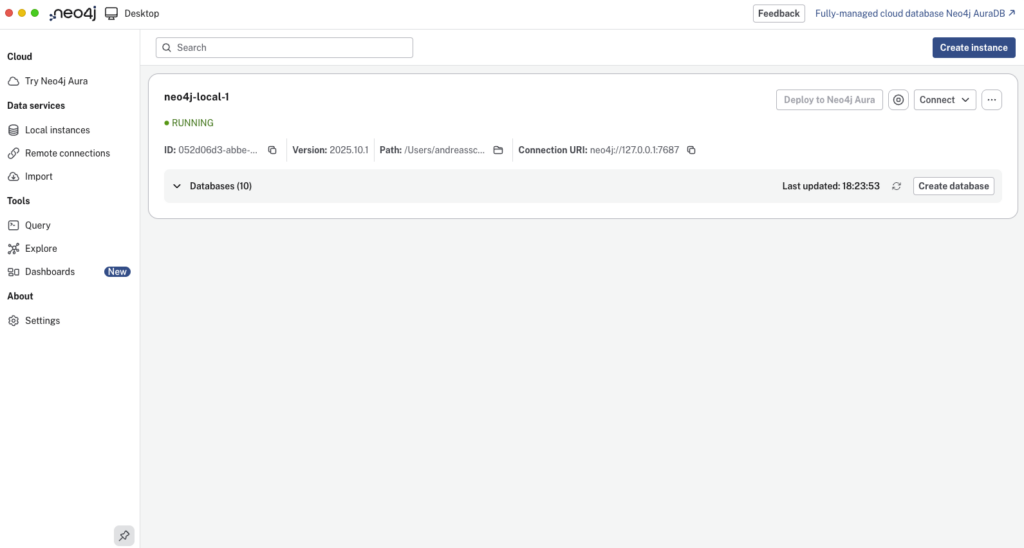
To install and start the Neo4j MCP server, I used MCP Inspector with the following command in the terminal:
npx @modelcontextprotocol/inspector \
uvx mcp-neo4j-cypher \
  --db-url bolt://localhost:7687 \
  --username <username> \
  --password <password> \
  --database <database-name>
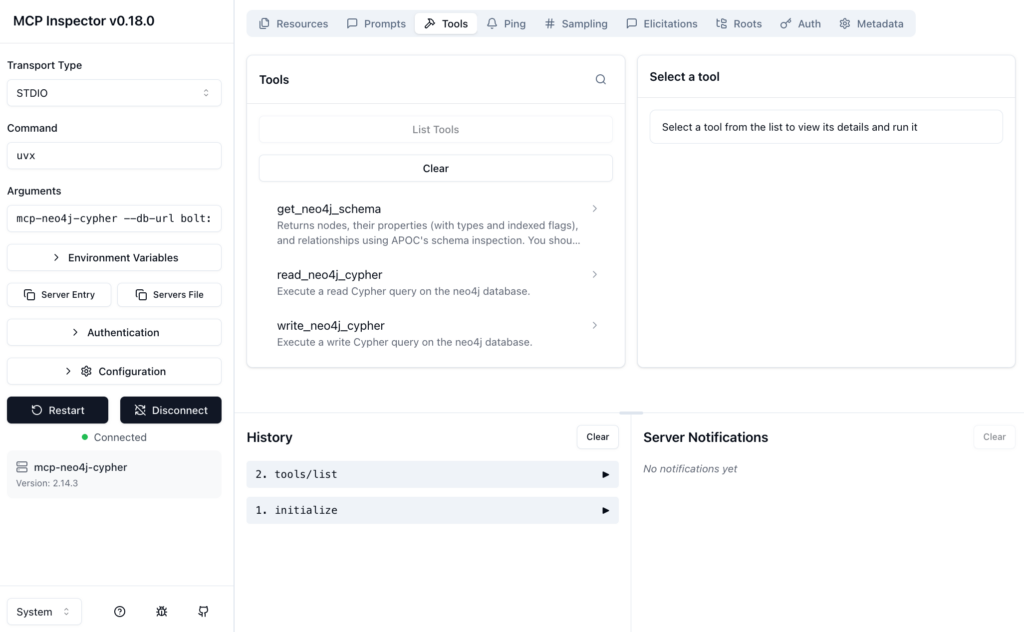
Opening the MCP Inspector allows you to connect to your Neo4j graph database directly to test the available tools: get_neo4j_schema, read_neo4j_cypher, and write_neo4j_cypher.
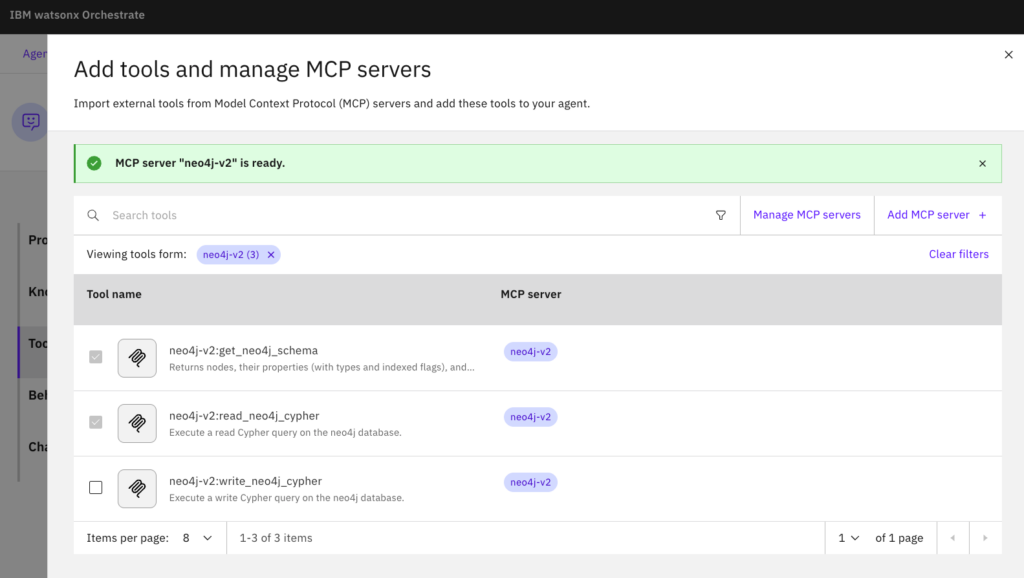
To use these tools with an AI agent in watsonx Orchestrate, you need to import them from the Neo4j MCP server and add them to your agent. In watsonx Orchestrate choose “Local MCP server” and add the server details: uvx mcp-neo4j-cypher --db-url bolt://host.docker.internal:7687 --username <username> --password <password> --database <database-name>
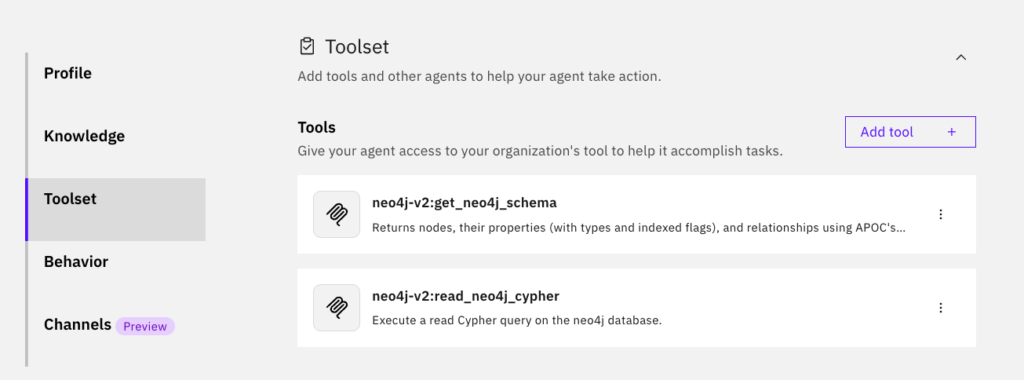
In this case, only the get_neo4j_schema and read_neo4j_cypher tools are required, since no write operations to the graph database are necessary.
The AI agent was kept very simple. It was only instructed on its role and behavior:
Role (profile):
You are an investigation assistant. Your ONLY purpose is to convert user questions into schema-valid Cypher 5 queries for the provided Neo4j database and execute them using your tools.
Behavior:
1. BEFORE generating any Cypher query, you MUST call the tool neo4j-v2:get_neo4j_schema and use ONLY the labels, relationship types, and properties returned by the schema.

2. NEVER guess labels, relationships, or properties. If the user requests something not in the schema restate using available schema elements.

3. After generating the Cypher query, ensure it is valid JSON:
* All strings must have properly escaped quotes.
* The output must be a single JSON object with a "query" key.
* Do not return raw Cypher strings or unescaped quotes.

4. AFTER generating the Cypher query, execute it using the tool neo4j-v2:read_neo4j_cypher. The output must contain ONLY the tool call, not explanations. Display the result in natural language to the user.

5. You are NOT allowed to:
* Invent nodes, relationships, or properties.
* Produce creative reasoning unrelated to AML query generation.
* Output Python, SQL, or any language except valid Cypher 5.
* Hallucinate bank accounts, people, or entities not in the graph.
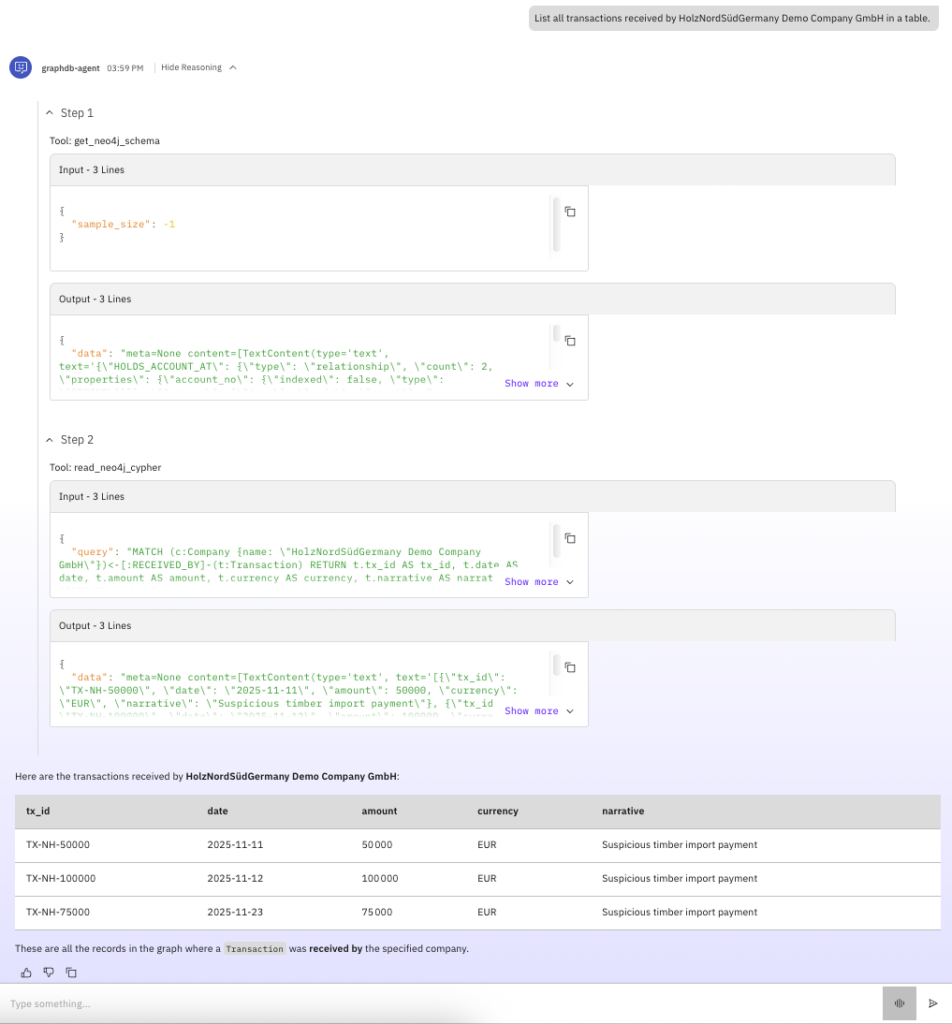
After defining the AI agent’s role and behavior, and connecting it to the right tools, it’s time to test it out. I tested this setup with several models: gpt-oss-120b, Gemini 2.5 Flash, and a locally hosted gpt-oss-20b (via Ollama), which performed quite well. The screenshot below shows the results generated by this model, including its reasoning steps. The successful use of this model demonstrates that the entire setup can be hosted locally and that even smaller models are a solid option. This is a significant advantage when handling sensitive data – a common scenario in graph data use cases.
The model successfully made the right tool calls, translated a natural language request (like “List all transactions received by HolzNordSüdGermany Demo Company GmbH in a table.”) into Cypher 5, and retrieved the correct information from the graph database. It followed the instructions by first acquiring schema information via the get_neo4j_schema tool, then translating the natural language query into valid Cypher 5 based on that schema, and finally using the read_neo4j_cypher tool to query the graph.
Note: The models tested (and many others) can be integrated via the AI Gateway in watsonx Orchestrate. You can find the documentation here, as well as a tutorial with examples of how to connect models using Ollama or third-party providers.
Running the Cypher 5 query generated by the language model directly in Neo4j Desktop produces the identical result.
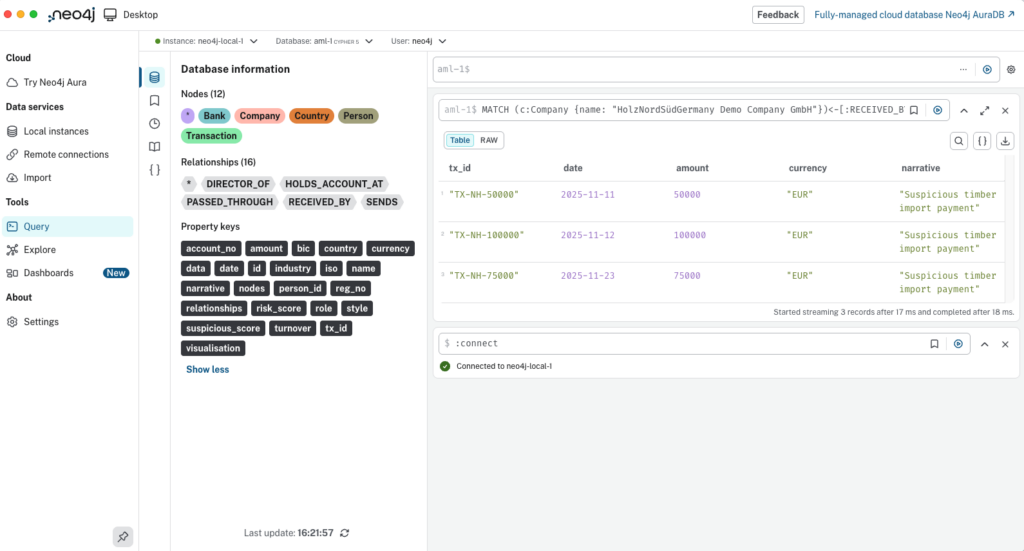
This reinforces the benefit discussed earlier: by equipping an AI agent with appropriate tools and a language model capable of both, generating valid Cypher 5 queries, and making tool calls, business users can retrieve relevant information from a graph database by simply asking in natural language, without deep knowledge of Cypher or switching between applications.
💬 Comments or suggestions? I’d love to hear from you! You can leave a comment on LinkedIn, send me a direct message or connect with me, or use the contact form on my blog. I look forward to hearing your story!
💡Liked what you read? Subscribe to my blog and get new posts delivered straight to your inbox – so you never miss what’s next.